




Foliva for the web and iPhone Duo

A real paper notebook, made for the phone that opens like one.

Type right on the lines in handwriting that looks like yours, sketch with your finger, and fill beautiful textured paper. Your notebooks sync to any browser in real time, free.

Works with Apple Pencil (USB-C) on iPhone Duo with iOS 27.2 or later

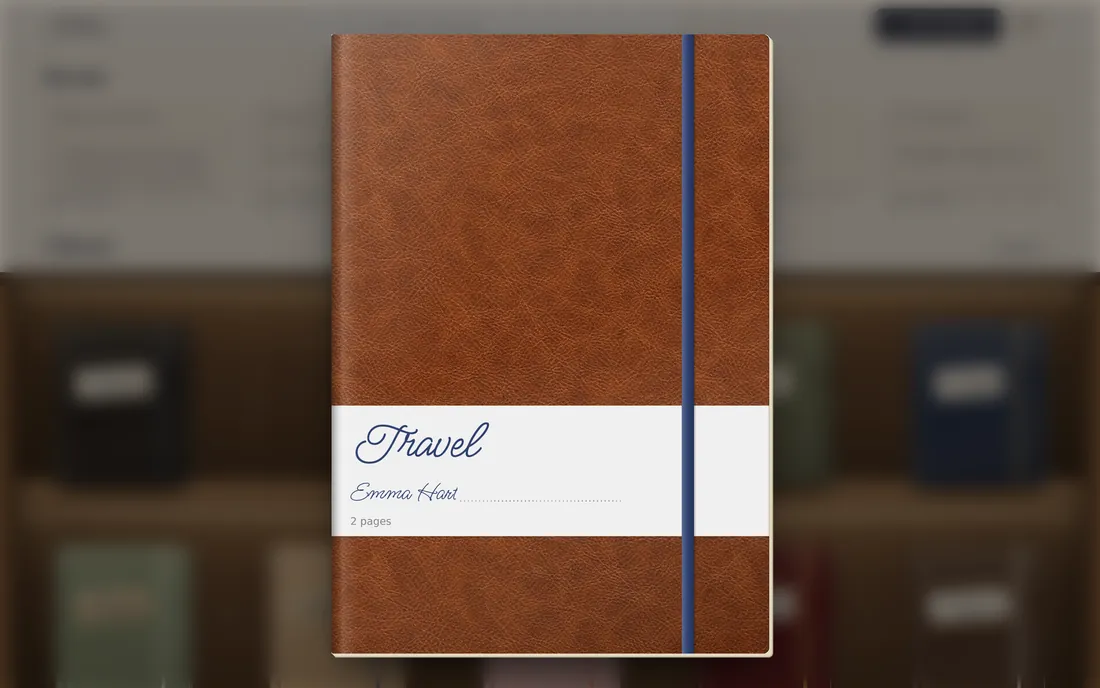
  1. Your shelf Every notebook, with its own cover.
  2. Pick one It comes off the shelf and opens on your desk.
  3. Write Right on the lines, in a handwriting font.

Writing

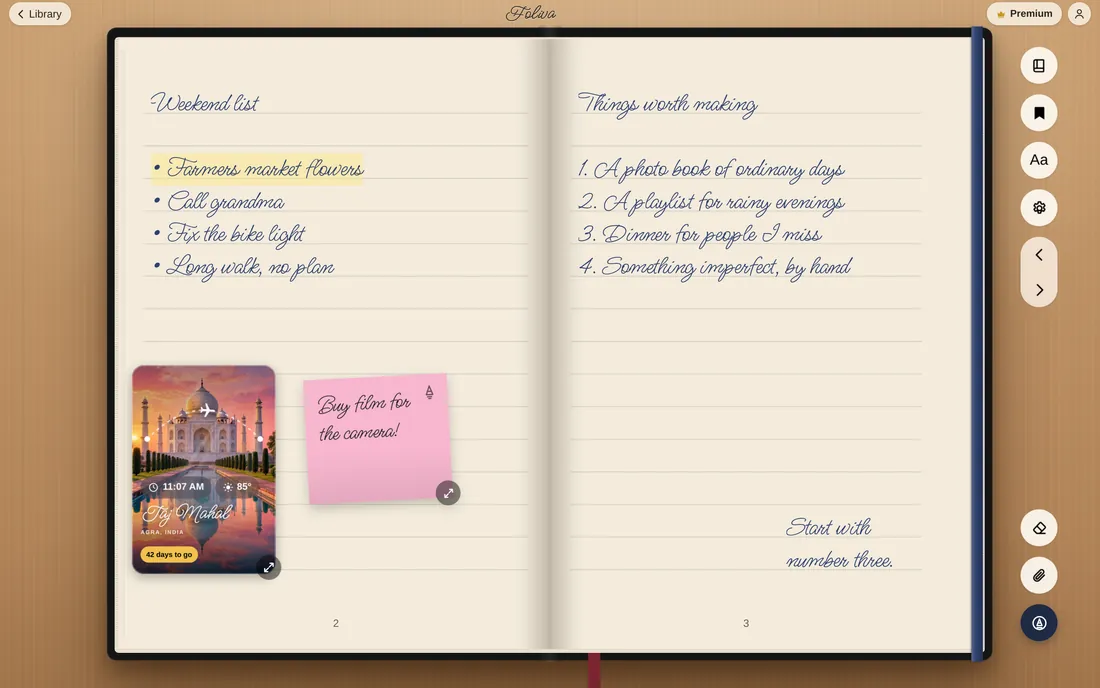
Type on the lines. No text boxes, ever.

Tap anywhere on the page and start typing, right on the ruled lines, in a handwriting font. Nothing slides around, and nothing floats over your notes.

  • Forty fonts: handwriting, scripts, calligraphy, typewriter and title serifs, from Ms Madi to Courier Prime
  • Sketch with your finger: fountain pen, pencil, marker, watercolor, crayon
  • Works with Apple Pencil (USB-C) on iPhone Duo with iOS 27.2 or later
  • Highlights, lists and every ink color

Sync, free

Your notebook on your phone and on your computer.

Your notebook syncs in real time between your iPhone and the Foliva web app, and keeps working when you’re offline. Sync is on the free plan, not locked in a “Pro” tier.

On the web

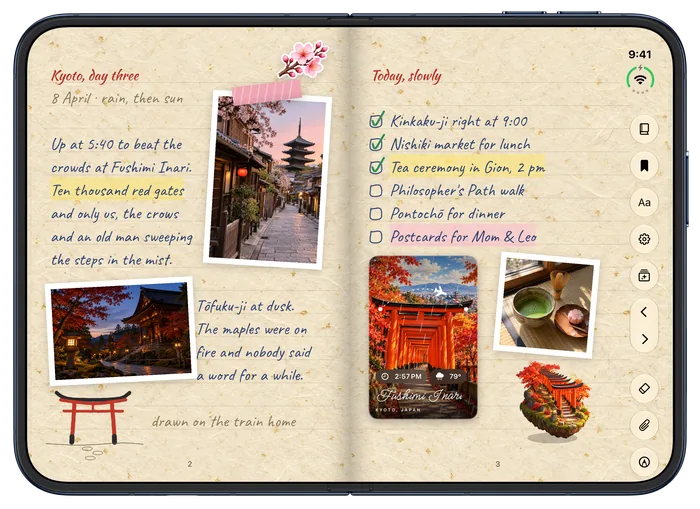
On iPhone Duo

  • Real time, both waysWrite on one and it’s on the other a moment later.
  • Offline-readyKeep writing without a connection. You’re never signed out for being offline.
  • Included freeNo limit on notebooks or notes, and sync on the free plan.

On your computer

A bookshelf that grows with you.

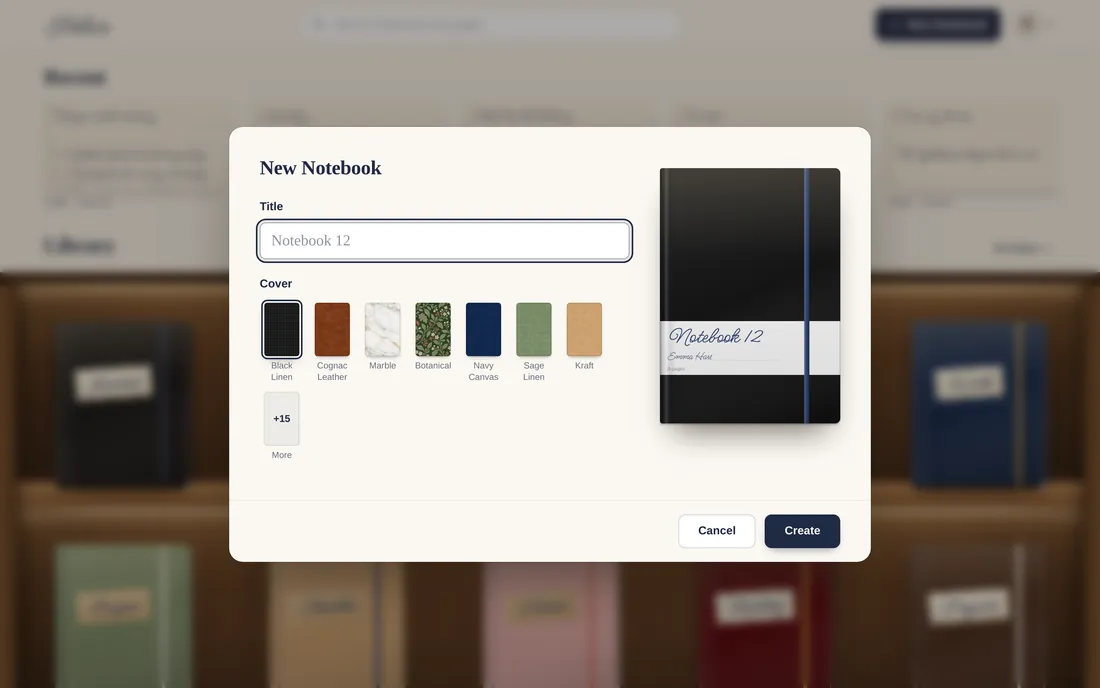
On your computer, your notebooks sit on a shelf, and each one opens like the real thing, with designed covers you’ll recognize at a glance. Living covers keep moving right there on the shelf.

New notebook Name it, pick a cover, and it’s on the shelf.
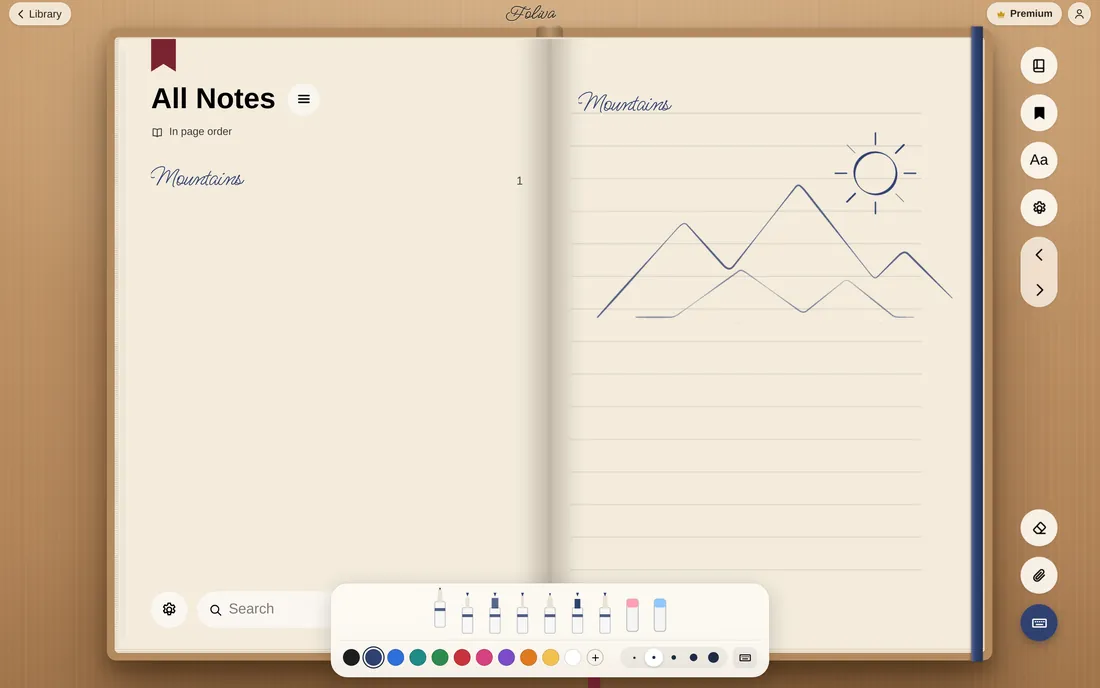
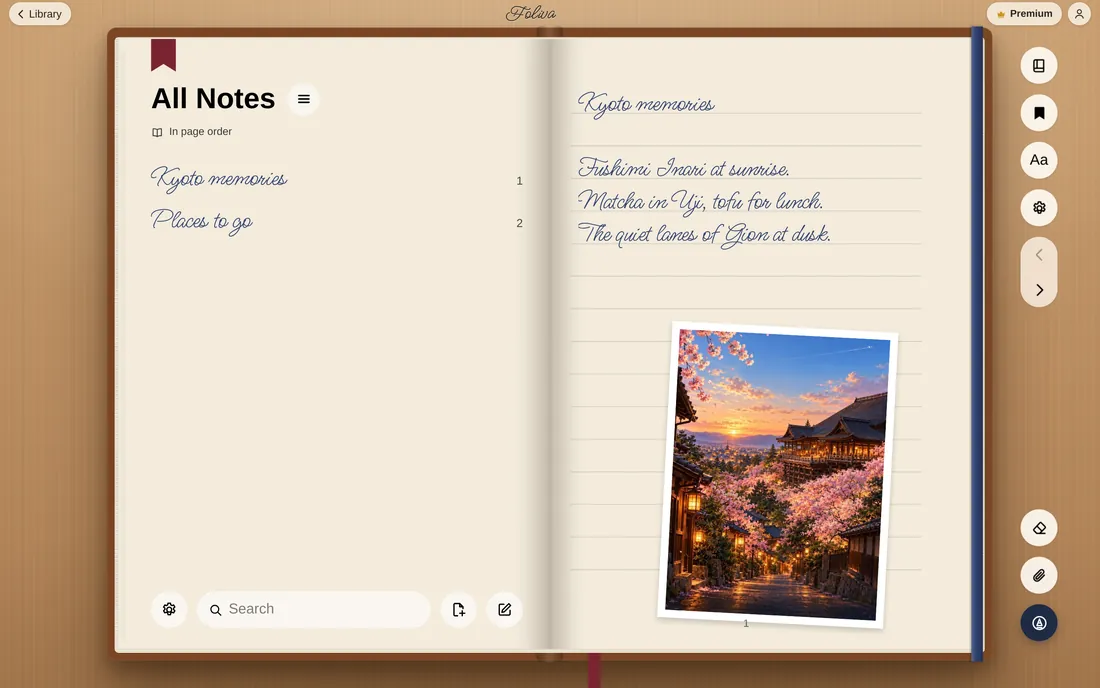
Every notebook opens like a book All Notes on the left, your pages on the right.

Covers · Foliva Plus

A cover that’s alive.

Living covers keep moving while your notebook is closed: fish swim after your pointer, petals drift, snow falls, stars stream past. Designer covers set a daily quote, word by word. And widgets pin the time, the weather or your latest note right on the cover.

SakuraPetals drift across the water.
Snow GlobeSnow falls over the village.
AquariumFish follow your pointer.
StarfieldFly through a nebula.
Rainy NightRain on the glass, city lights.
FirefliesThey scatter when you touch.
Wildflower MeadowA quote that assembles, word by word.
Celestial AtlasA daily quote, glowing in.
Lofi StudyToday’s quote, typed out.

Widgets on the cover.

A clock, the weather, a calendar, a focus timer, your latest note, a daily quote, a countdown to your trip and more. Drag them where you like, size them, mix them on any material.

A black linen notebook with clock, weather and calendar widgets
Clock, weather and calendar on black linen
A cognac leather notebook with a countdown to Kyoto and world clocks
A countdown and world clocks on cognac leather
A marble notebook with a daily quote and the latest note
Daily quote and latest note on marble
A botanical notebook with a calendar and the moon phase
Calendar and moon phase on botanical
A navy canvas notebook with a focus timer and the date and time
Focus timer and the time on navy canvas
A red velvet notebook with year progress, a writing streak and water
Year progress, streak and water on velvet

Living covers, designer covers and widgets are part of Foliva Plus. Recorded in the Foliva web app.

Paper

Paper you’ll want to touch.

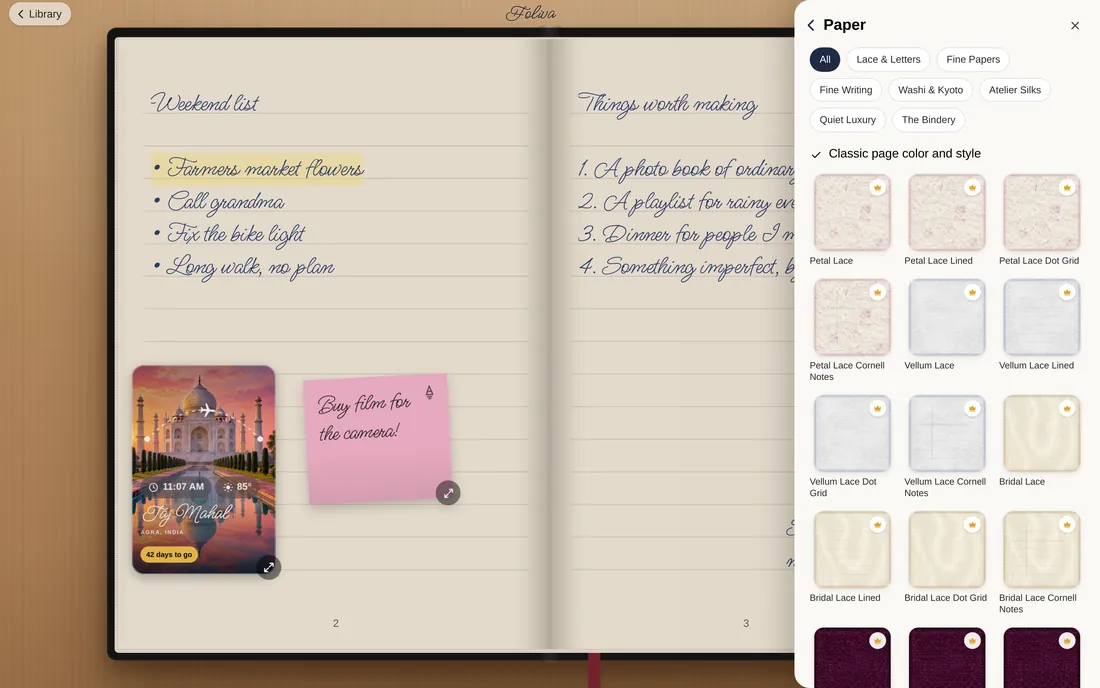
Choose from 176 textured papers in 18 collections, plus everyday paper in every ruling you need: lined, dot, grid, Cornell, engineering, planner and music. No more buying texture packs and importing PDFs.

Every paper, in every ruling.

  • Lined
  • College Ruled
  • Legal Pad
  • Grid
  • 5 mm Grid
  • Engineering
  • Dot Grid
  • Isometric
  • Hexagon
  • Music Staff
  • Cornell Notes
  • Handwriting Practice
  • Calligraphy Slant
  • Checklist
  • Daily Planner
  • Weekly Planner
  • Storyboard
  • Bullet Journal
  • Two Columns
  • Blank

Paper on iPhone Duo

A paper for every page.

  1. Lace & LettersLace edges, scallops, letters and airmail
  2. After DarkDark papers for light ink
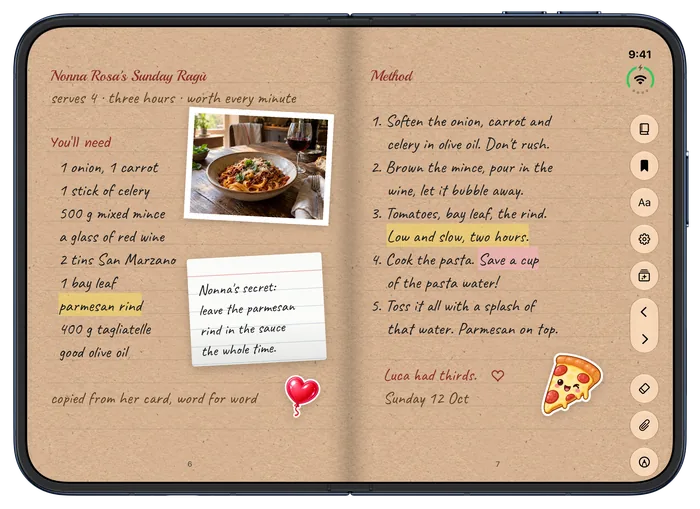
  3. Kraft and craftWarm, textured everyday papers
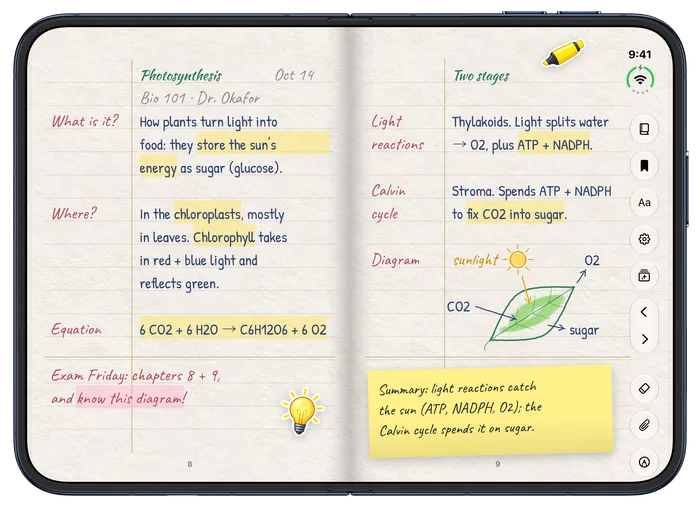
  4. Cornell notesStudy rulings: Cornell, grid, engineering

Foliva on iPhone Duo

Made for the big screen on iPhone Duo.

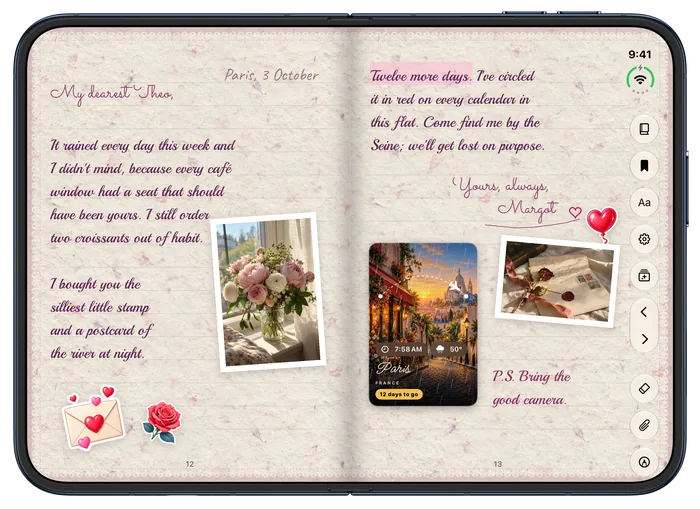
Foliva fills the inner screen edge to edge and opens and closes with the fold, so it feels like opening a notebook, not squinting at a stretched app.

Foliva for iPhone is in TestFlight. The App Store link comes with the release.

Closed: your cover
Open: your book

Covers on iPhone Duo

A cover you’ll recognize at a glance.

  1. Dressed your wayLeather, linen, canvas, marble, velvet, denim and more, with a band and your name in the lettering.
  2. Designer covers PlusPainted covers in motion, some with a daily quote you can play with.
  3. The cover trayMaterials, designer and living covers, bands, labels, widgets and stickers.

On the page

Everything you’d tape into a paper journal.

Add sticky notes, photos, stickers, 3D models and living travel cards, all right on the page. No extra apps needed to decorate.

Sticky notes in every color

A weekly plan with groceries, a birthday and a reminder to read before bed.

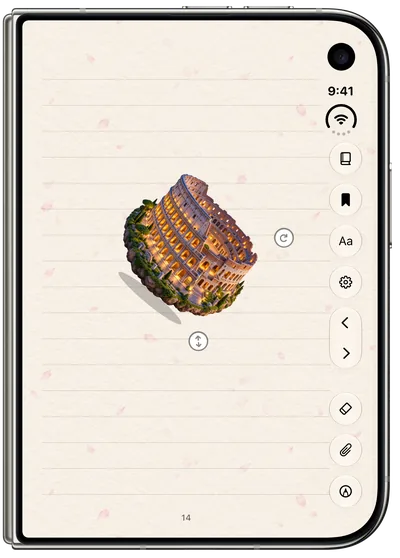
3D models that tilt

Set a little Colosseum on the page and watch it move as you tilt the phone.
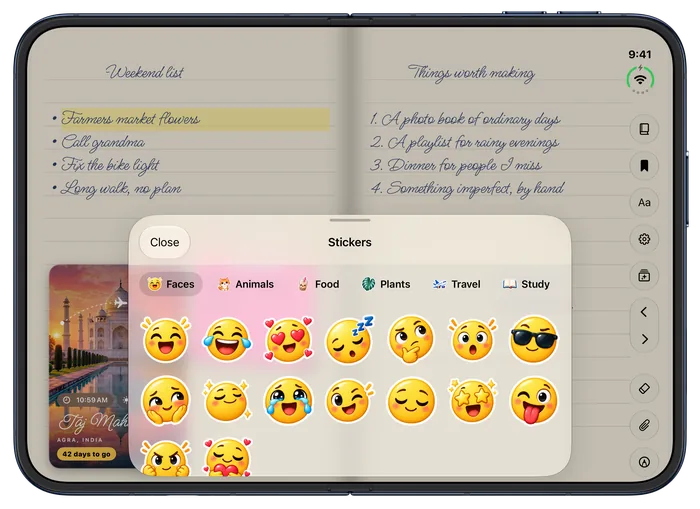
Stickers and emoji

Packs for faces, animals, food, plants, travel and study.
Living travel cards

Painted places with their local time, the weather there and a countdown to your trip.

PDFs become notes

Text PDFs turn into pages you can edit, with the original kept.
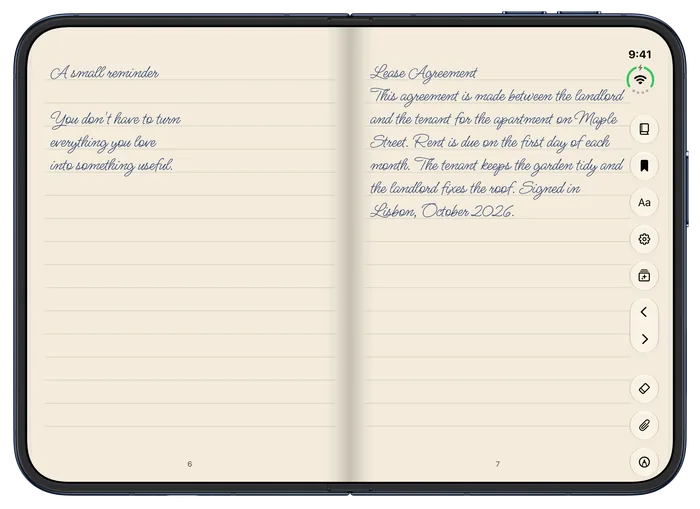
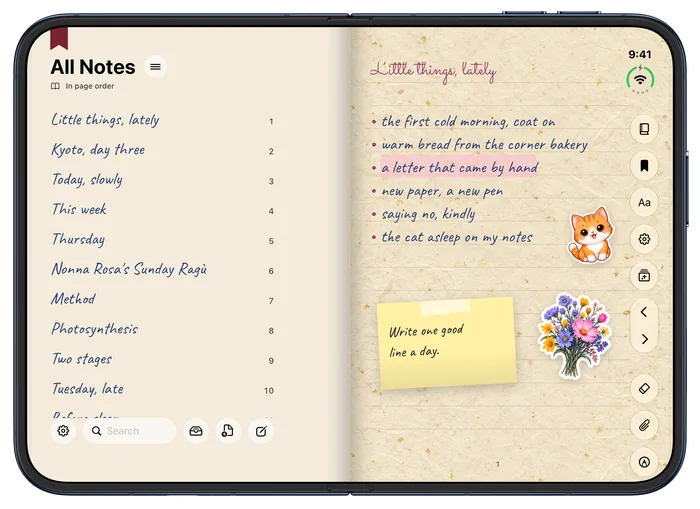
All Notes, in your hand

Every page listed in handwriting, with folders and search.
Foliva Premium · Planners

Planners that make themselves. For any year.

♛ Premium Premium planners: included with Foliva Premium, or $1.99 each. Planners aren’t part of the free plan.

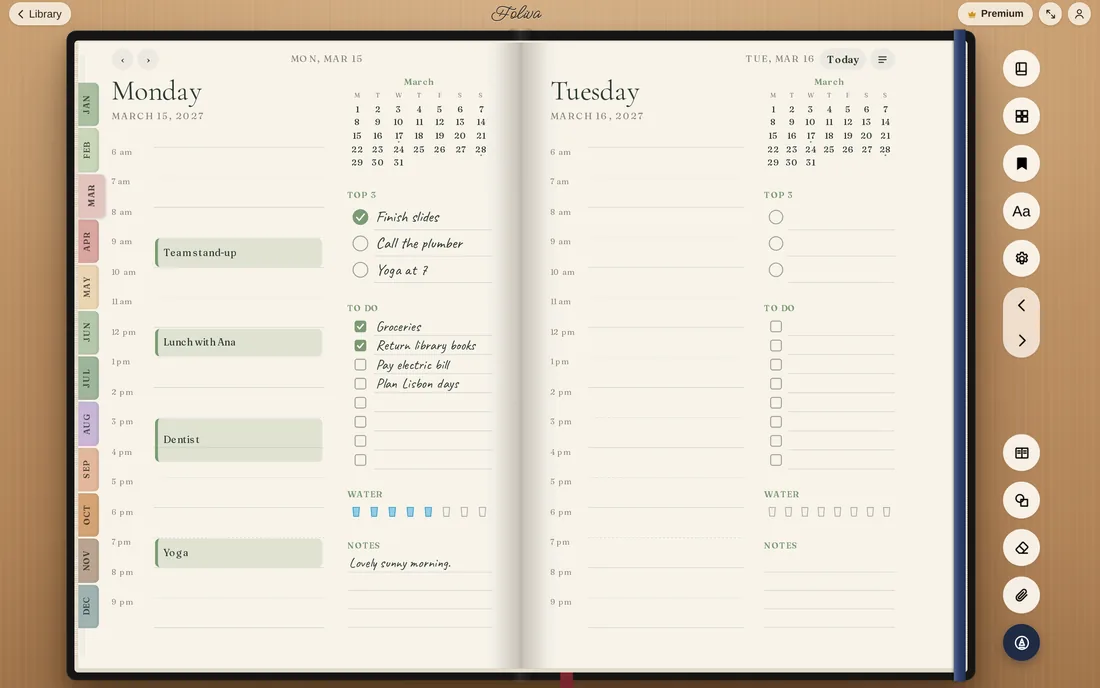
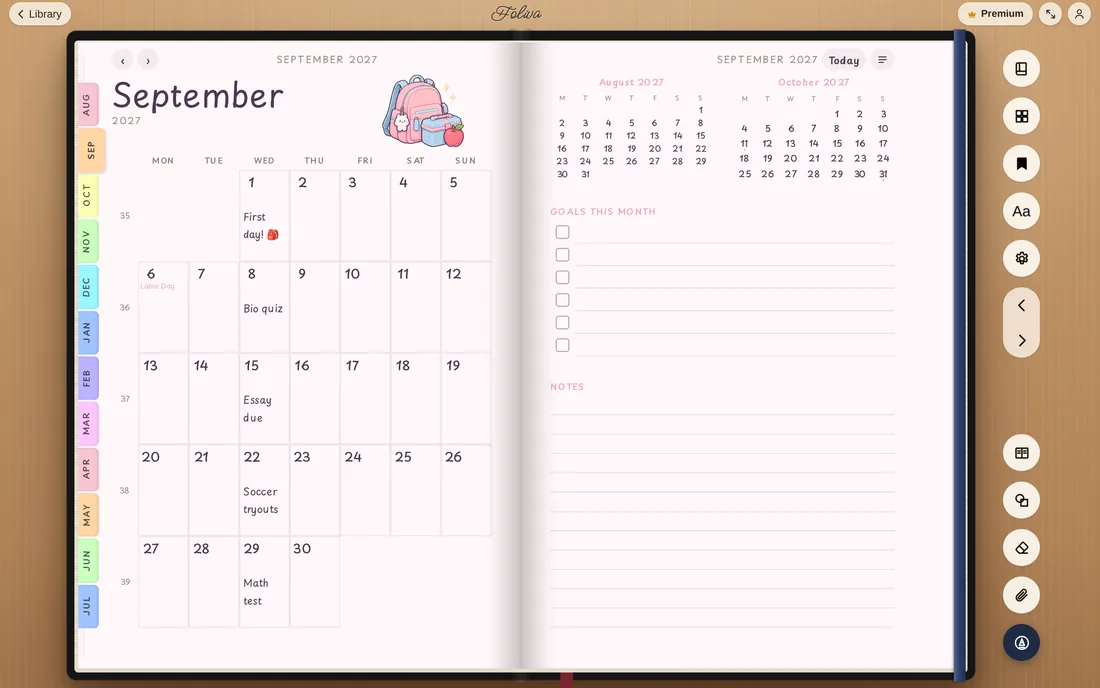
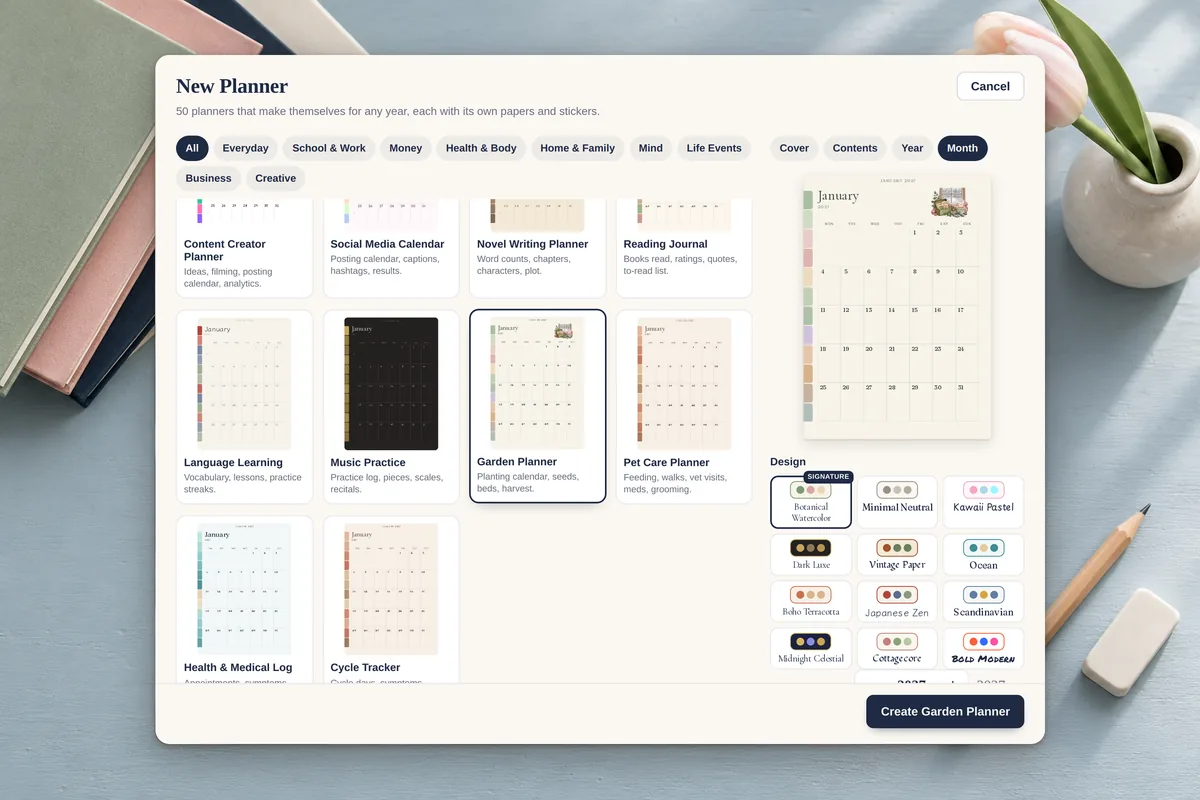
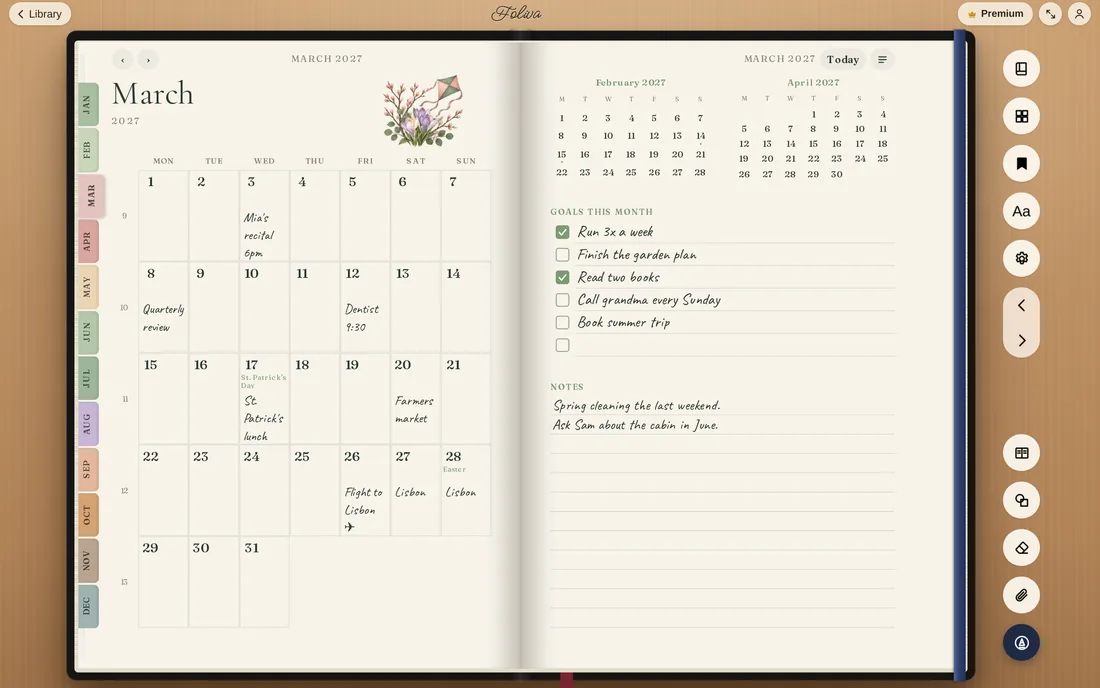
Pick one of 50 planners and one of 12 designs, type any year from 2027 on, and Foliva makes the whole planner: the year, every month, week and day, with your holidays. Start it in August for a school year. Then tap a date to jump to it, tick habits, type in the boxes and add appointments, on iPhone Duo and on the web, always in sync.
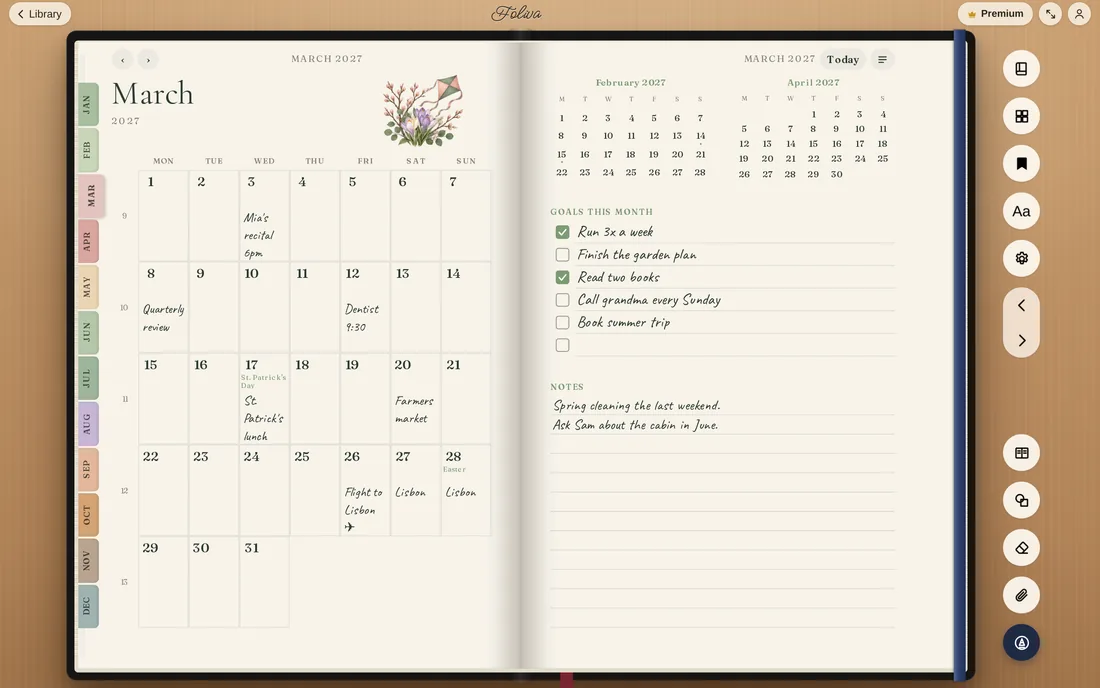
  • 50planners, each with its own papers and stickers
  • 12designs, from botanical watercolor to dark luxe
  • Any yearfrom 2027 on. School years like 2027–28
  • Tap anywheredates, habits, trackers, appointments
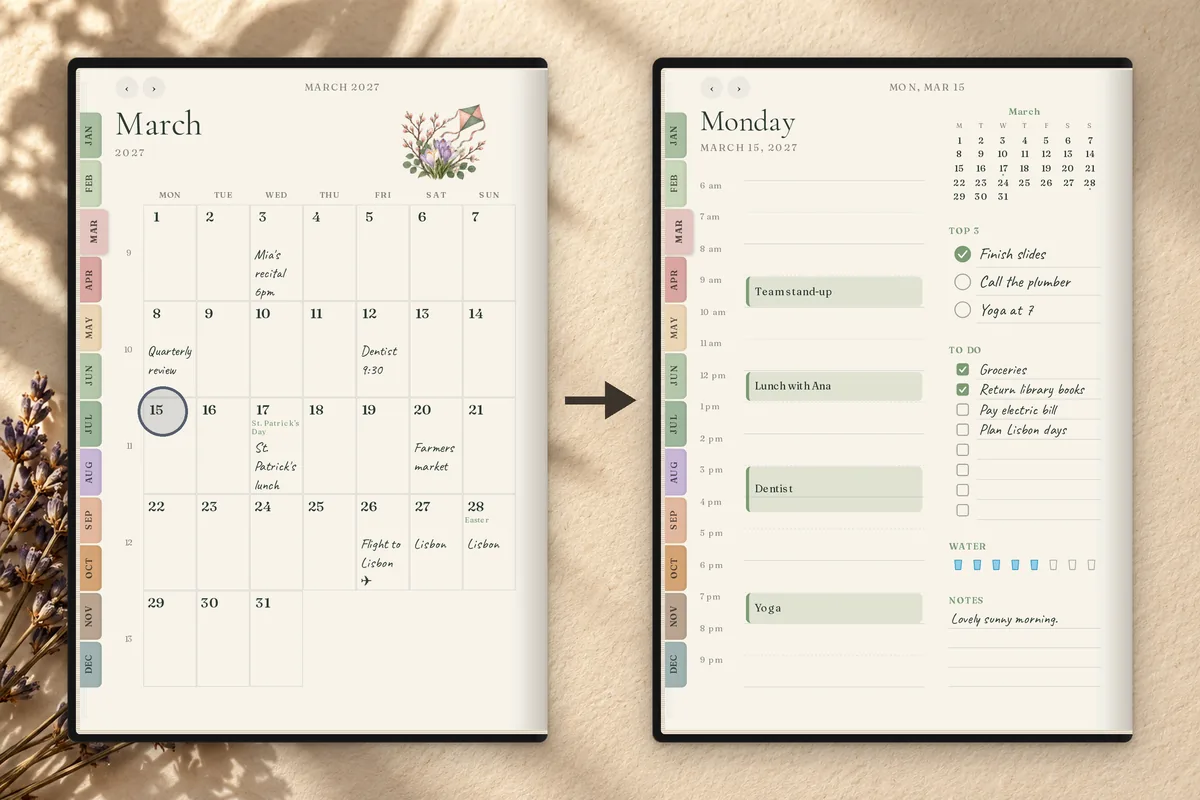
Tap a date, go there Every date, week number and mini calendar is a link. Today and Back are one tap away.
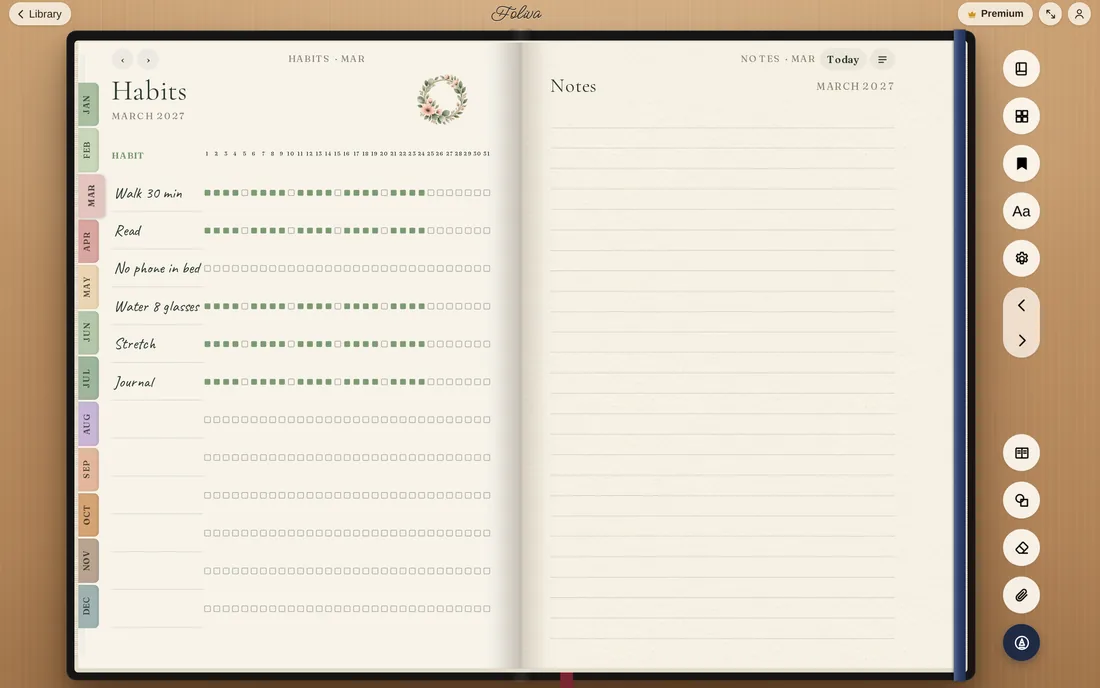
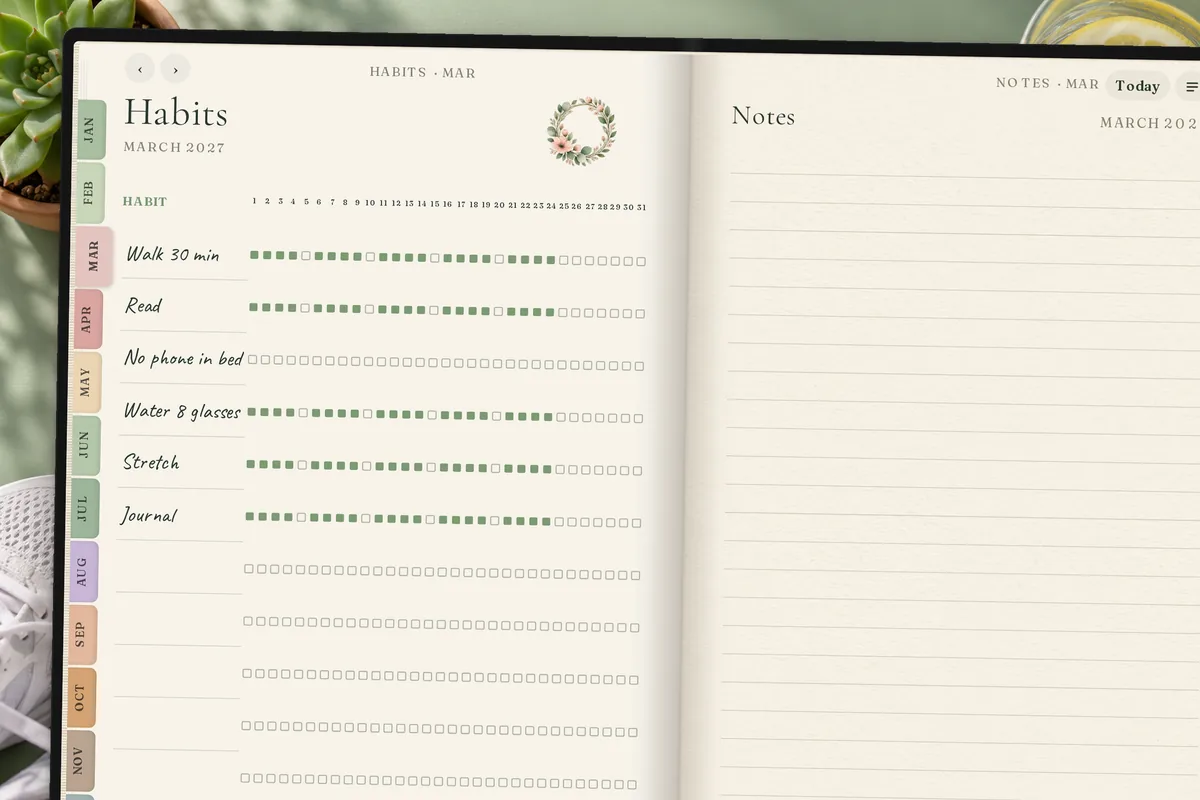
Habits and trackers Tick habits, pick a mood, log sleep and water. A tap fills the cell.
School years A Student Planner from August 2027 to July 2028, holidays included.
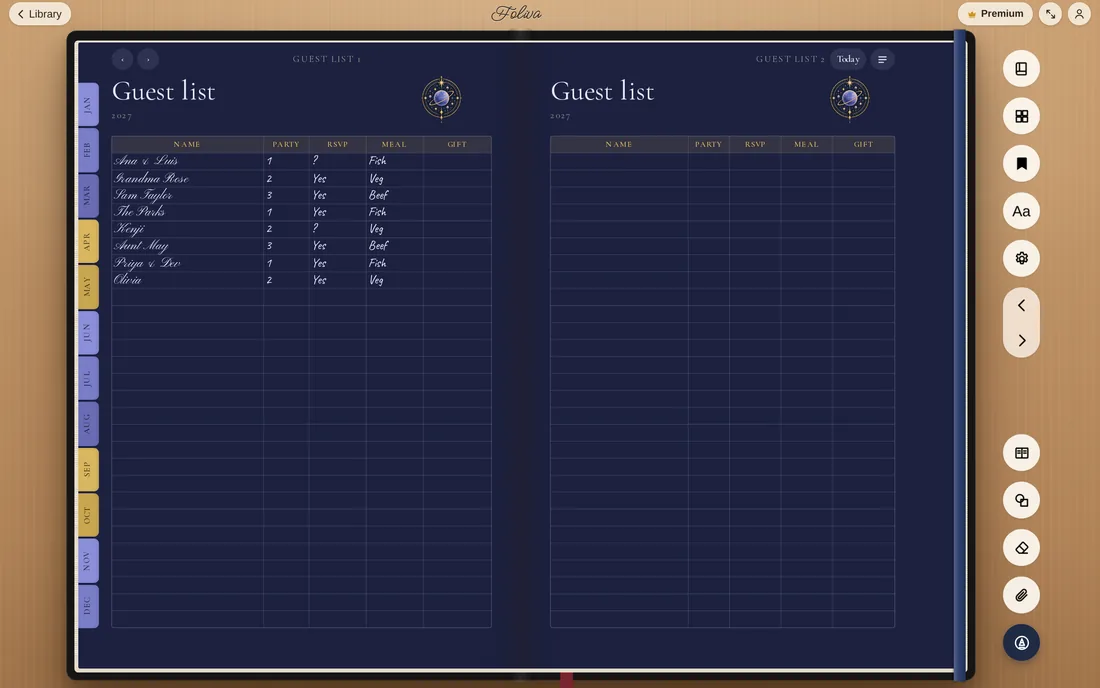
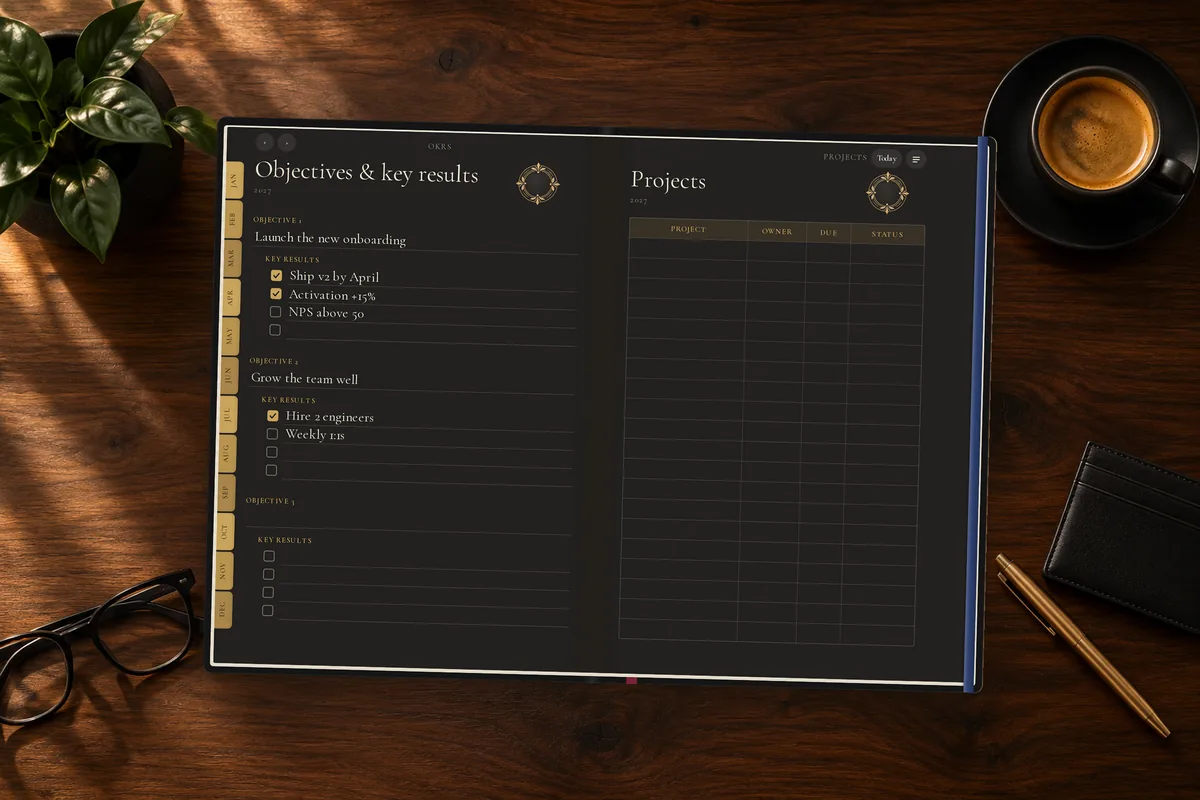
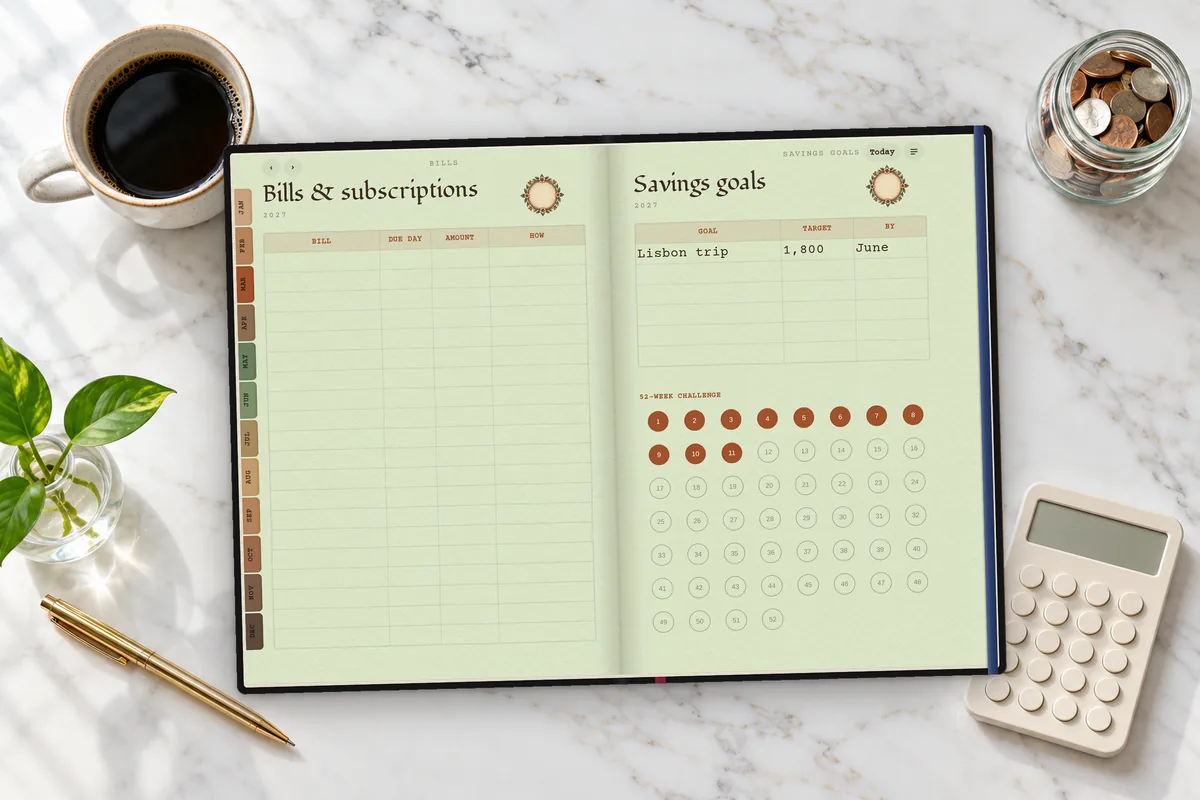
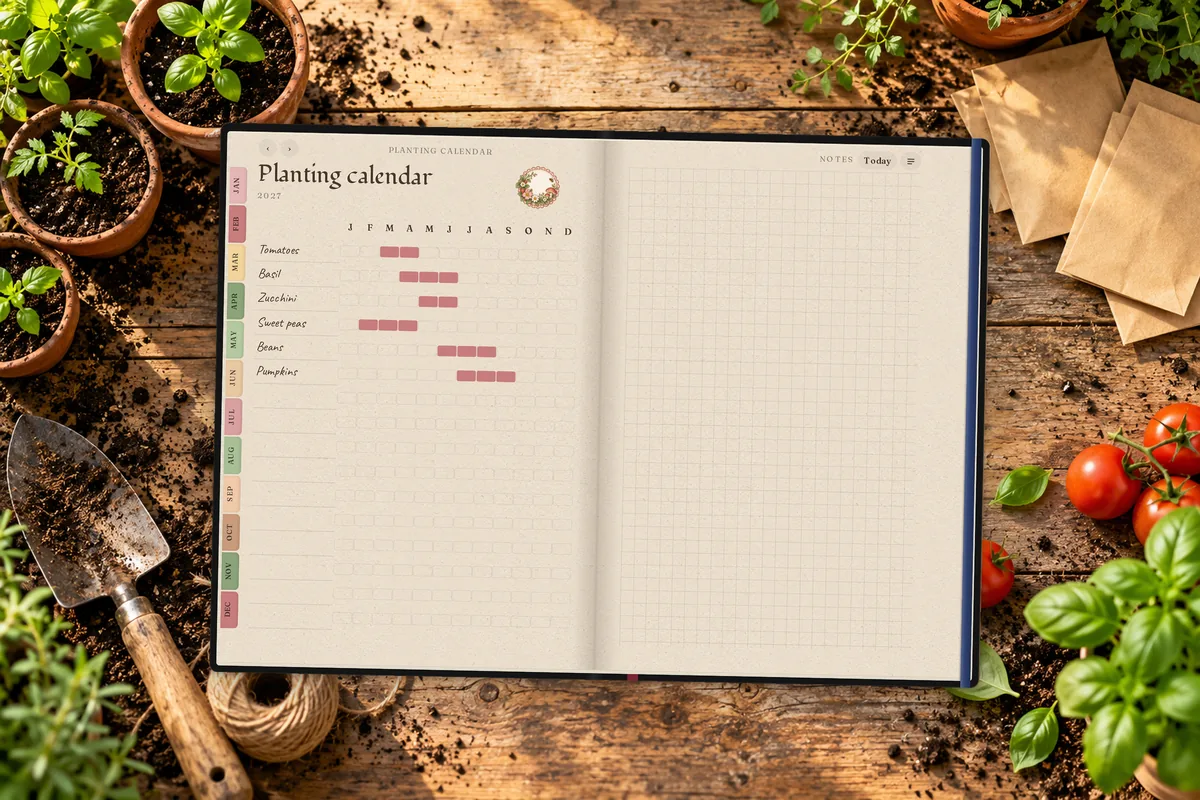
Made for the purpose Wedding guest lists, budgets, seed calendars, reading logs, OKRs and more.
Budget & Finance Income, bills, spending and savings challenges on ledger paper.
Garden A planting calendar, seed inventory and harvest log.
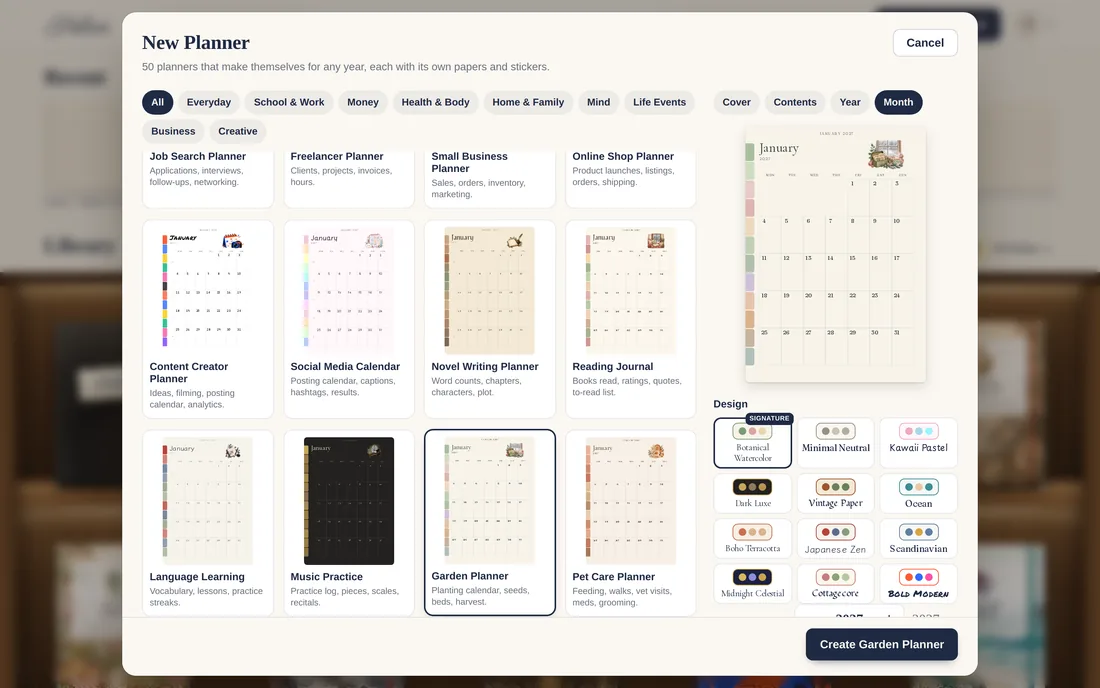
50 planners, live previews See every page before you make it.
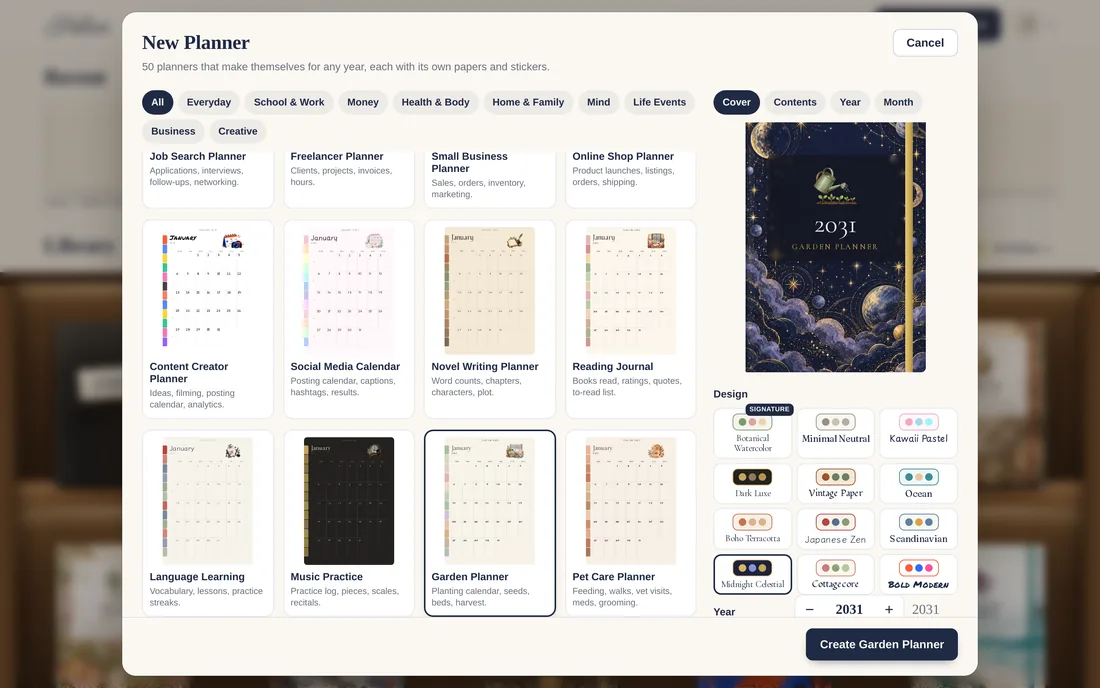
Any year, any design Type the year, pick the week start, the holidays and the pages you want.
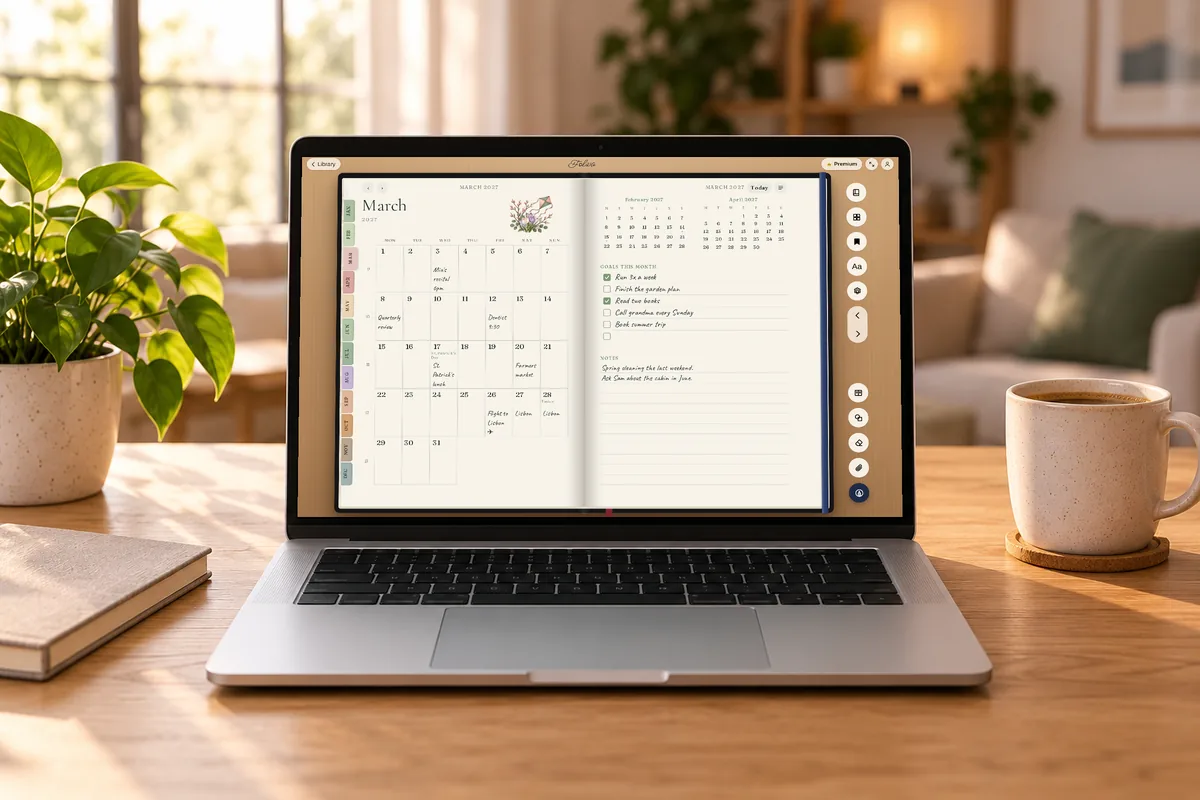
Foliva's 2027 weekly planner open to the March monthly spread in a web browser on a laptop, on a wooden desk with a coffee mug and a plant.
Top-down view of the weekly planner's Week 11 spread, Monday to Sunday with handwritten plans, priorities and notes, on an oak desk with a latte, a fountain pen and eucalyptus.
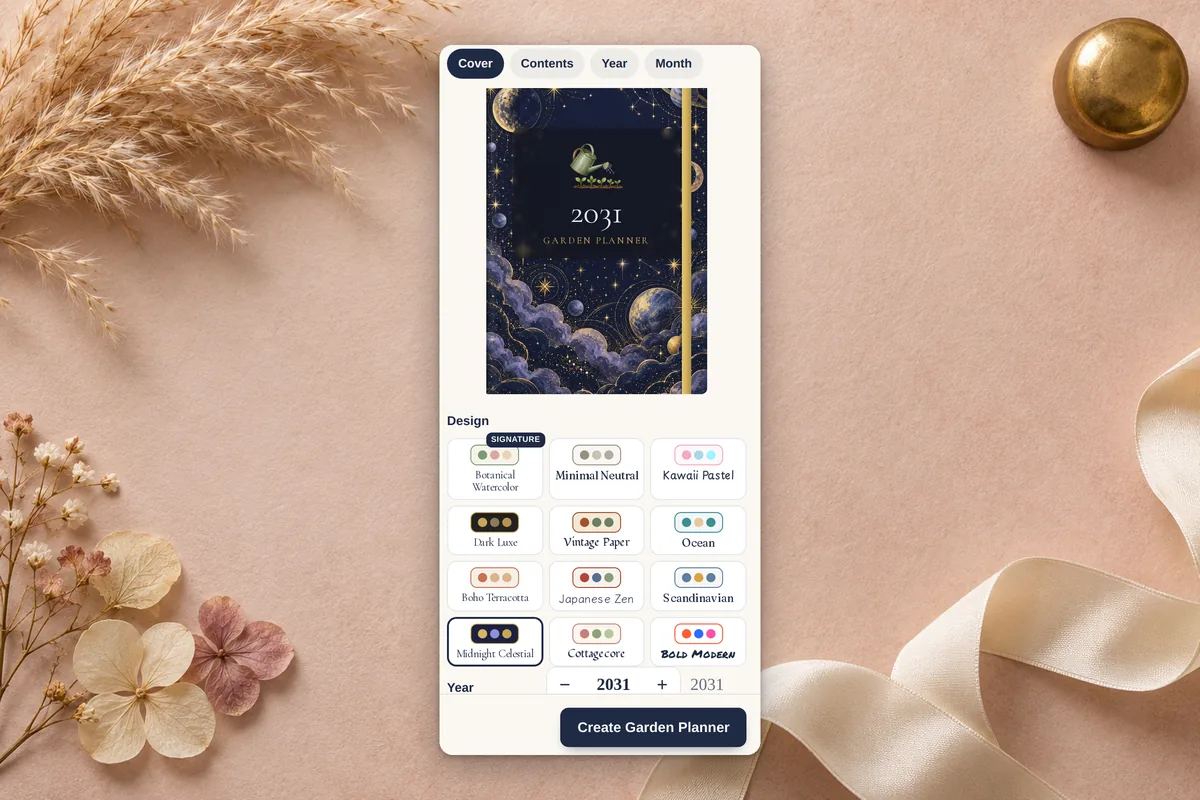
Close-up of the New Planner preview: a 2031 Garden Planner cover in the Midnight Celestial design, Cover/Contents/Year/Month preview tabs, twelve design themes, the year stepper set to 2031, and the Create Garden Planner button.
Before and after: tapping March 15 on the March 2027 month page (left) opens that day's page, Monday March 15 with its schedule, top 3, to-do list and water tracker (right).
Close-up of the weekly planner's March habit tracker: a day-by-day grid for walk 30 min, read, no phone in bed, water 8 glasses, stretch and journal, with streaks filled in, on a sage table beside a succulent and running shoes.
The New Planner sheet: 50 planner types in categories (Everyday, School & Work, Money, Health & Body, Home & Family, Mind, Life Events, Business, Creative) with a live month preview and design themes.
The wedding planner in the dark Midnight Celestial theme, open to its June month spread with goals and notes, on navy velvet with white roses, a candle and gold stars.
The work planner in the Dark Luxe theme: an objectives and key results page with checked key results beside a projects table, on a walnut desk with an espresso and a brass pen.
The budget planner's bills and subscriptions table and savings goals page with a 52-week savings challenge, on a white marble desk with coffee, a coin jar and a calculator.
The garden planner's planting calendar, a month-by-month bar chart for tomatoes, basil, zucchini, sweet peas, beans and pumpkins, on a rustic potting bench with seedlings and seed envelopes.
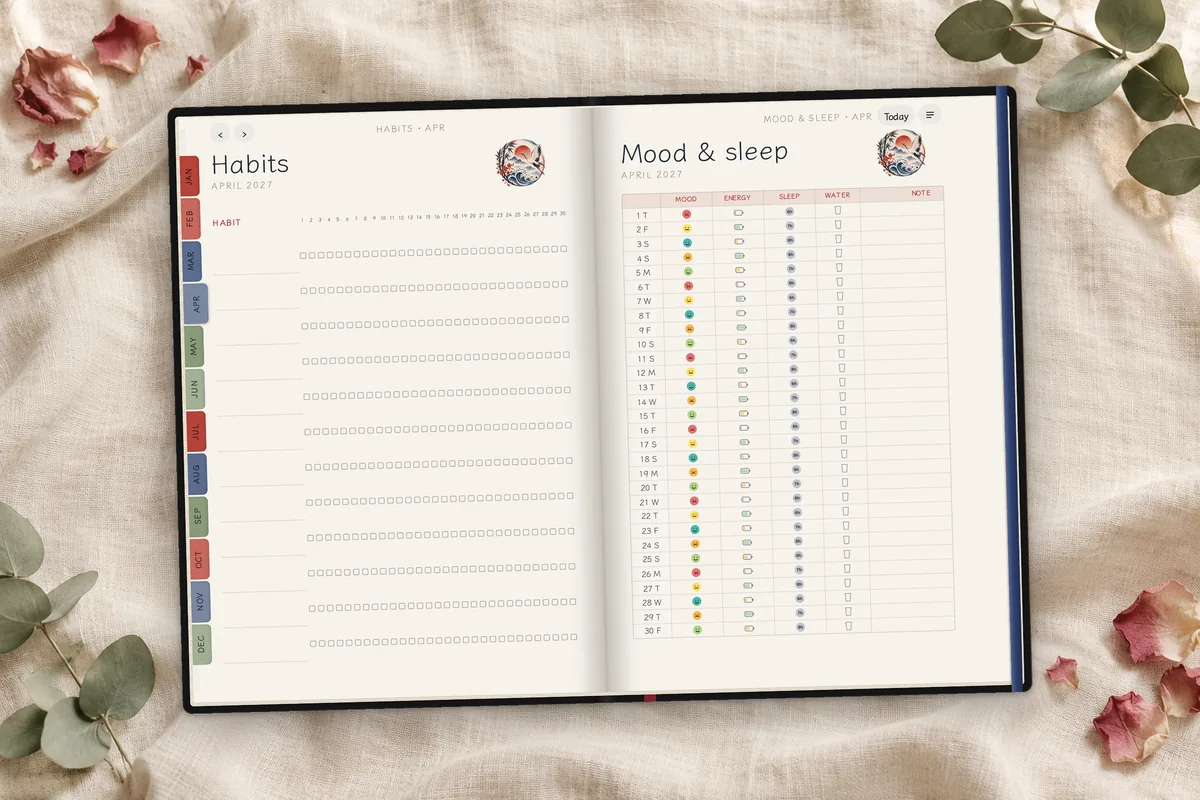
The habit tracker planner's April spread on linen: a 30-day habit grid on the left and a mood and sleep log with a colored mood, energy, sleep and water entry for every day on the right.
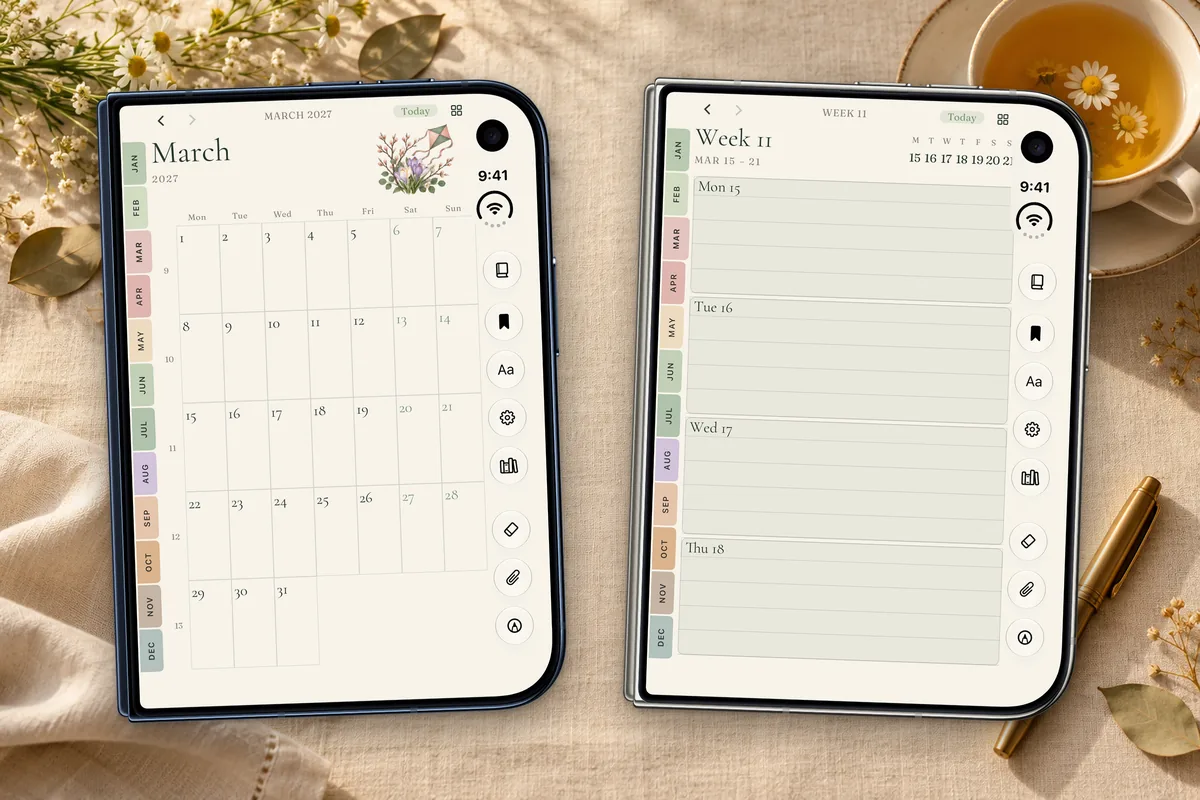
Two folded iPhone Duo phones running Foliva: the 2027 weekly planner's March month page on a Night Sky Duo and its Week 11 page on a Star White Duo, on a cream linen table with chamomile tea.
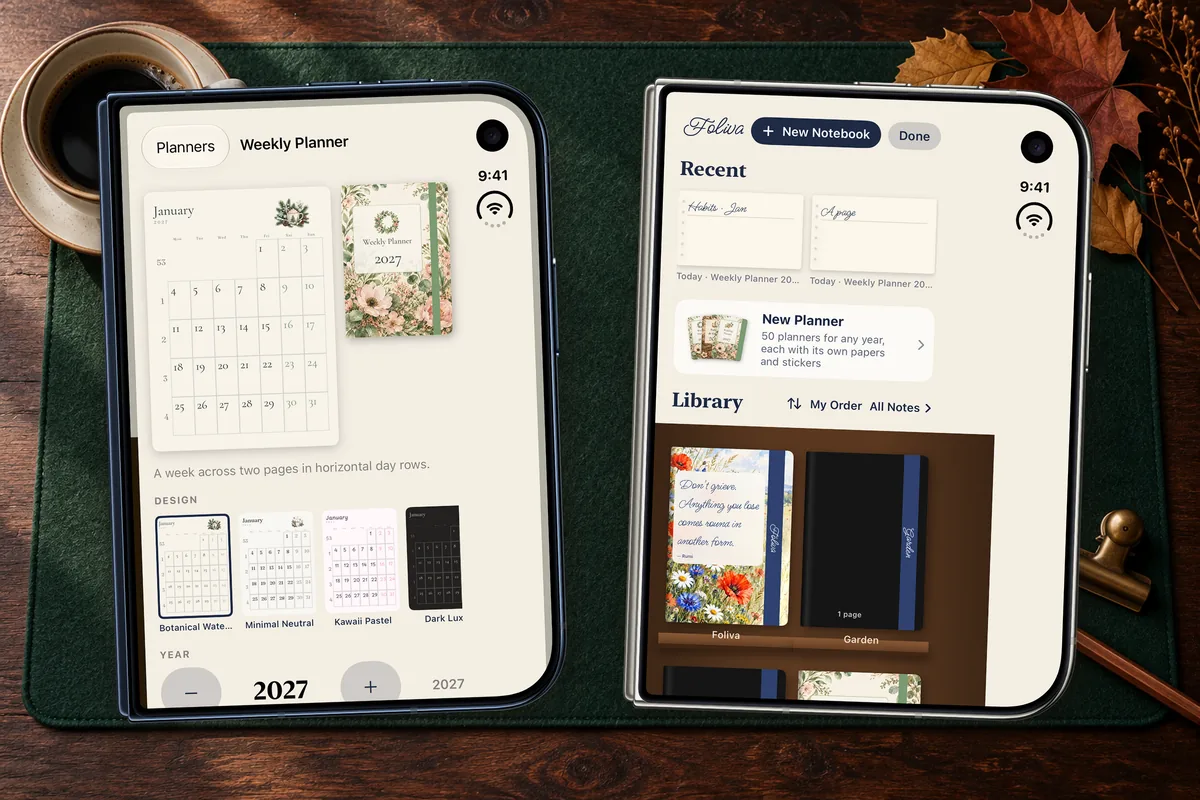
Foliva on folded iPhone Duo: the new-planner design picker previewing a floral 2027 Weekly Planner cover with year stepper (Night Sky), and the library shelf of planner covers (Star White), on a green felt desk mat.

Every planner

  • Daily Planner
  • Weekly Planner
  • Weekly Columns
  • Monthly Planner
  • Year at a Glance
  • Student Planner
  • Teacher Planner
  • Work & OKRs
  • Project Planner
  • Budget & Finance
  • Savings & Debt Payoff
  • Fitness & Workout
  • Running & Race Training
  • Meal & Grocery
  • Wellness & Self-care
  • Habit Tracker
  • Gratitude Journal
  • Mental Health Journal
  • Meditation Journal
  • Sobriety & Recovery
  • Bullet Journal
  • ADHD-Friendly Planner
  • Minimalist Planner
  • Wedding Planner
  • Pregnancy & Baby
  • Travel Planner
  • Event Planner
  • Holiday Season Planner
  • Birthdays & Gifts
  • Moving Planner
  • Home Renovation
  • Cleaning & Home
  • Family Planner
  • Mom & Dad Planner
  • Homeschool Planner
  • College Applications
  • Job Search Planner
  • Freelancer Planner
  • Small Business Planner
  • Online Shop Planner
  • Content Creator Planner
  • Social Media Calendar
  • Novel Writing Planner
  • Reading Journal
  • Language Learning
  • Music Practice
  • Garden Planner
  • Pet Care Planner
  • Health & Medical Log
  • Cycle Tracker

Premium planners: included with Foliva Premium, or $1.99 each in the Marketplace. Each planner comes with its designs, papers and stickers. Recorded in the Foliva web app. See Foliva Premium

Foliva Premium

AI that waits to be asked.

Sage is part of Premium and only works on the text you select. If you never select anything, it never touches your notes. On the Free and Plus plans, Sage isn’t there at all.

  • Ask a Question
  • Explain
  • Summarize
  • Polish the Writing
  • Keep Writing
  • Turn into a List

Only the text you select is sent to Foliva’s server for the answer, and only when you ask.

See Foliva Premium
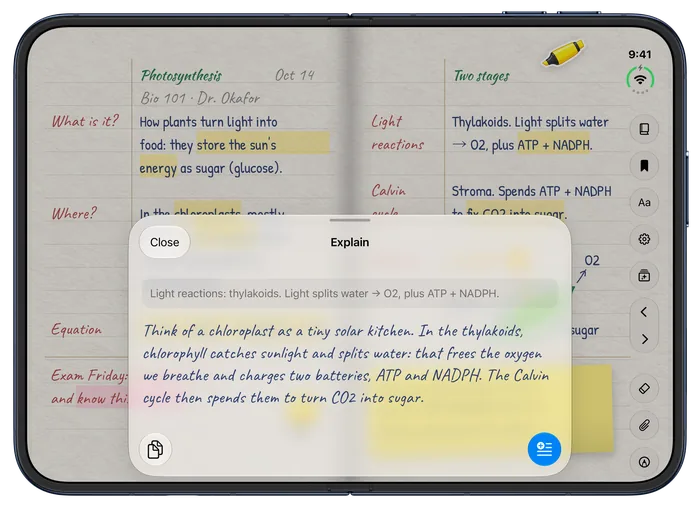
Sage explaining a selected line, on iPhone Duo

Compare

Foliva vs leading note apps.

Including the places where Foliva says no.

FeatureFolivaLeading note apps
Sync across devices, included freeYes, in real timeOften behind a paid plan
Notebooks on the free planNo limitOften capped at a few
Type directly on the ruled linesAnywhere, in handwriting fontsUsually text boxes
Real textured papers176 in 18 collectionsPlain colors and rulings
Built for iPhone Duo’s inner screenYes, edge to edgeMostly letterboxed
AI only when you askYes, Sage works on the text you selectOften built in or pushed
Notes stay editable if you stop payingYesSome lock notebooks read-only
One-time purchaseNot offeredSome offer one
Export and printNot yetUsually PDF export
Audio recordingNot offeredSome record and transcribe

Compared October 2026, from leading note apps’ pricing pages and App Store listings. Details vary by app and plan.

Plans

Free to write. Plus to dress it up. Premium for Planners and Sage.

Free

The whole notebook.

$0forever

No time limit, no card.

Get started
  • The notebook on the web and on iPhone Duo
  • 20 everyday papers in 26 rulings
  • Handwriting fonts, and your own handwriting
  • Drawing, sticky notes, photos and stickers
  • Travel cards, PDFs to notes, scanning
  • No limit on notebooks or notes
  • All Notes, folders, search and importing notes
  • The web app, synced in real time

Foliva Plus

Make your notebook come alive.

Billed $39 a year. Cancel any time.

  • Everything in Free
  • Living covers: aquarium, sakura, snow globe, fireflies, a game and more
  • Cover widgets: clock, weather, calendar, focus timer, latest note
  • Designer covers: 12 painted covers in motion
  • Premium materials: holo foil, art deco gold, old map, watercolor
  • 176 premium papers in 18 collections

Sage AI

Foliva Premium

Sage AI and Premium Planners.

Billed $69.99 a year. Cancel any time.

  • Premium Planners: all 50 planners that make themselves for any year, in 12 designs, each with its own papers and stickers (or $1.99 each without Premium)
  • Sage AI: select text and Sage summarizes, rewrites, explains or answers your question
  • Travel guides for every painted place, and Sage writes one for anywhere you search
  • Everything in Plus

Pay by card here on the web, or subscribe in the Foliva app on iPhone. A plan you buy here works in the iPhone app too when you sign in with the same Foliva account.

FAQ

Switching to Foliva

Will my notes ever be locked if I stop paying?

No. Nothing is locked or deleted when a plan ends. Every note stays editable, and the Plus papers and covers you already chose keep showing.

How much can I do on the free plan?

There’s no limit on notebooks or notes, and sync between iPhone and the web app is included. Plus and Premium add covers, premium papers and Sage.

Is there a one-time purchase?

Yes. Every premium product is also sold on its own in the Marketplace: each planner is $1.99, and so is each sticker or stamp pack, paper collection, Elements pack and cover pack. You pay once and keep it, even without a plan. Some of them are already included with Plus and Premium, and Premium includes them all.

Are planners free?

No. Premium planners are included with Foliva Premium, or $1.99 each. Anyone can browse every planner and design with full previews first.

I bought something on iPhone. Is it on the web too?

Yes. Purchases belong to your Foliva account: sign in with the same account on iPhone and on the web and what you bought works on both. Bought on the web, it unlocks in the iPhone app too.

How do I restore my purchases?

In the iPhone app, open the Marketplace (from the Library or Settings) and tap Restore Purchases. Purchases also come back on their own when you sign in to your Foliva account, on any iPhone or computer.

Do I need an Apple Pencil?

No. Type right on the lines in a handwriting font and draw with your finger. Foliva works with Apple Pencil (USB-C) on iPhone Duo with iOS 27.2 or later: write on bare paper and it starts drawing, tap with a finger to type again, and write over typed text to change it.

Can I bring my notes from another app?

Notes from the Notes app on iPhone come in through a Shortcut, folders and all. From other note apps, export your notebooks as PDFs and open them in Foliva: text PDFs become editable text pages with the original kept, and scanned or handwritten PDFs are read on the device on iPhone. On the web, those pages keep their image.

Can I export or print my notebooks?

Not yet. Every notebook is synced to your account and available in the web app on any computer.

Does Sage AI read my notebooks?

Sage is part of Premium and works only when you ask: it sends just the text you select to Foliva’s server for the answer. On Free and Plus, Sage isn’t there at all.

Does it work offline? Will it sign me out?

Yes, it works offline on iPhone and on the web, and you’re never signed out for being offline. Your notebooks sync when you’re back online. You need an email-and-password account to sync.

Is there an iPad, Mac or Windows app?

Foliva runs on iPhone, and on any computer through the desktop web app, where your notebooks sit on a bookshelf and open like real books. There’s no separate Mac, Windows or Android app.

Does it record audio for lectures?

Not today. If recording and transcription are must-haves, an app built for lectures may suit you better for now.

When is the iPhone app on the App Store?

Foliva for iPhone is in TestFlight now. Here’s how testing works.

Your notebook, unfolded.

Start free in your browser today. The iPhone app is in TestFlight.